
Types of service and packing charges
Last updated: 4 November 2026 · 3 min read
A type of service is how an order reaches the customer: collected from the shop, delivered to site, or sent by bus. Each type can add a packing charge and switch the sale to a price group, for example wholesale prices for deliveries to contractors.
Before you start: You need permission to open Settings. If you have more than one price group, create them first under Product setup > Selling Price Group.
Create a type of service#
First turn the feature on.
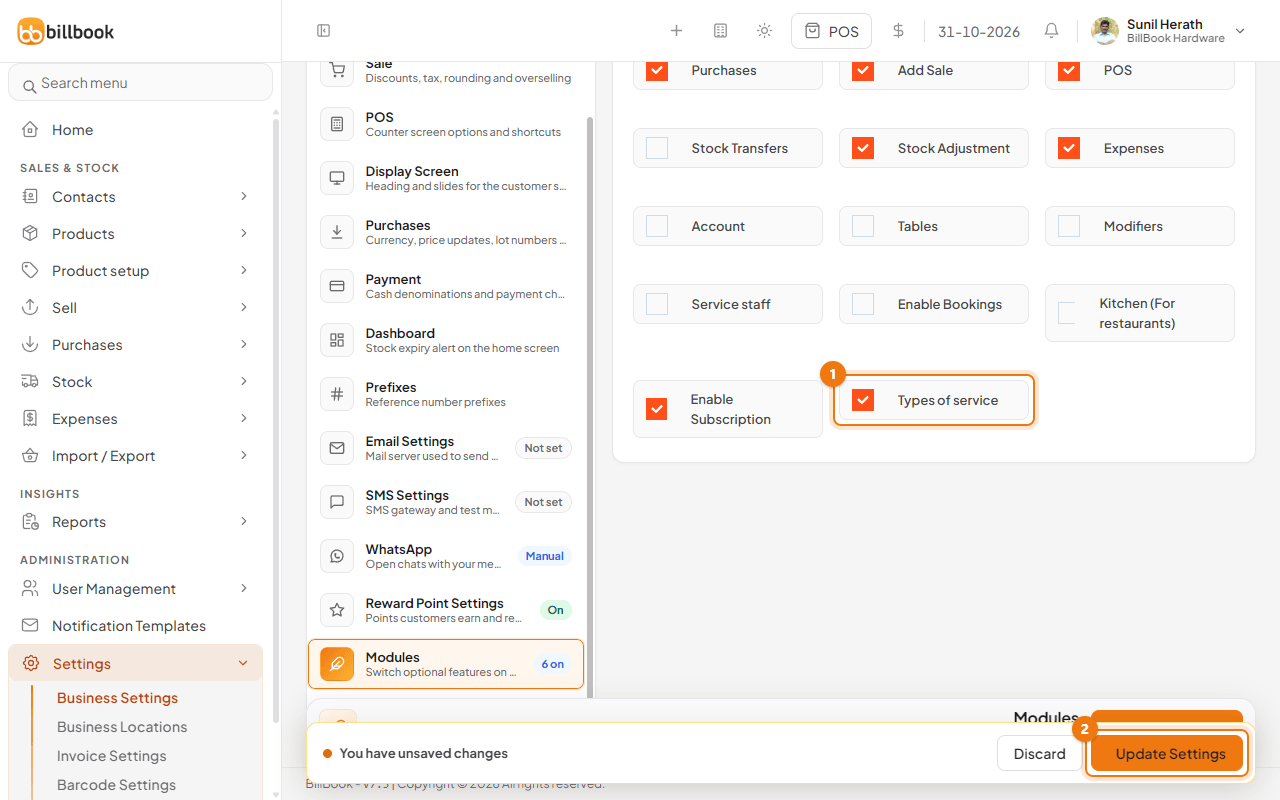
- Go to Settings > Business Settings and open Modules.
- Tick Types of service (1).
- Select Update Settings (2).
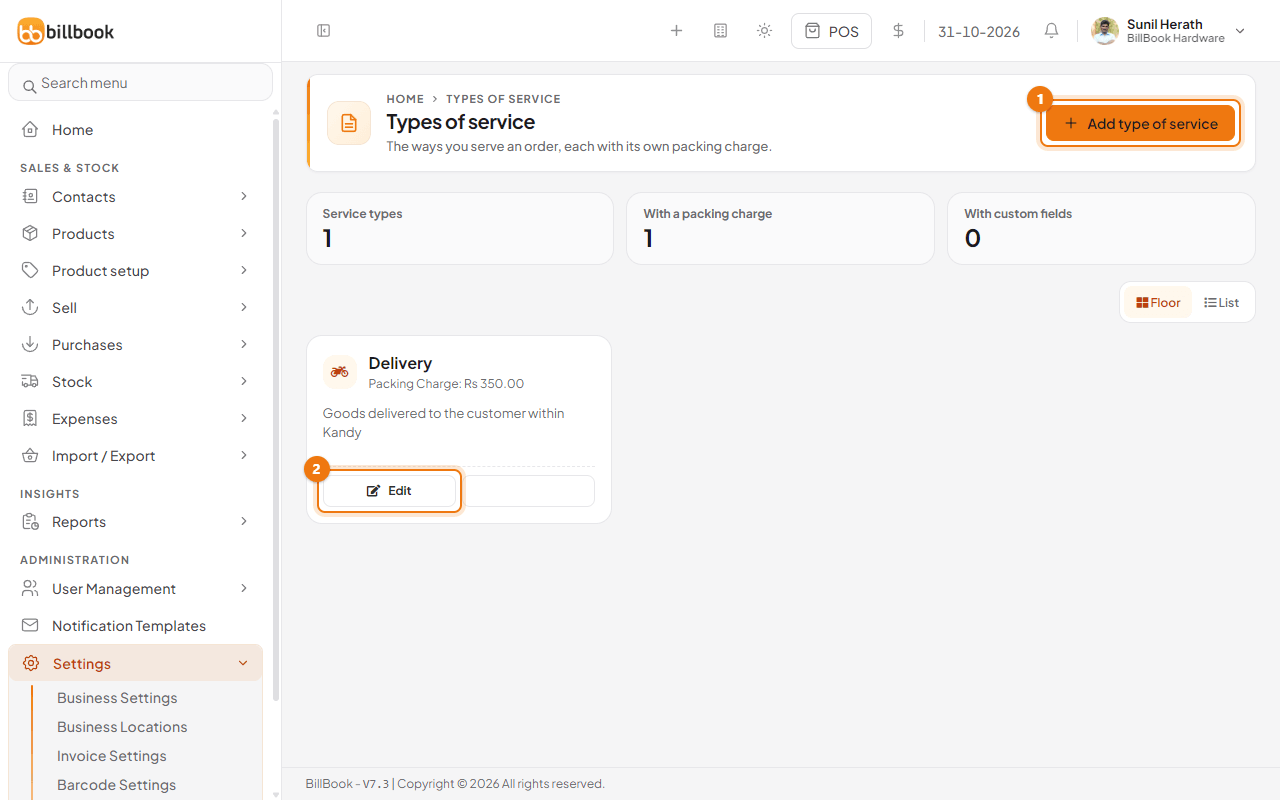
Types of service now shows in the Settings menu. Open it, select Add type of service (1) and fill in the form below.
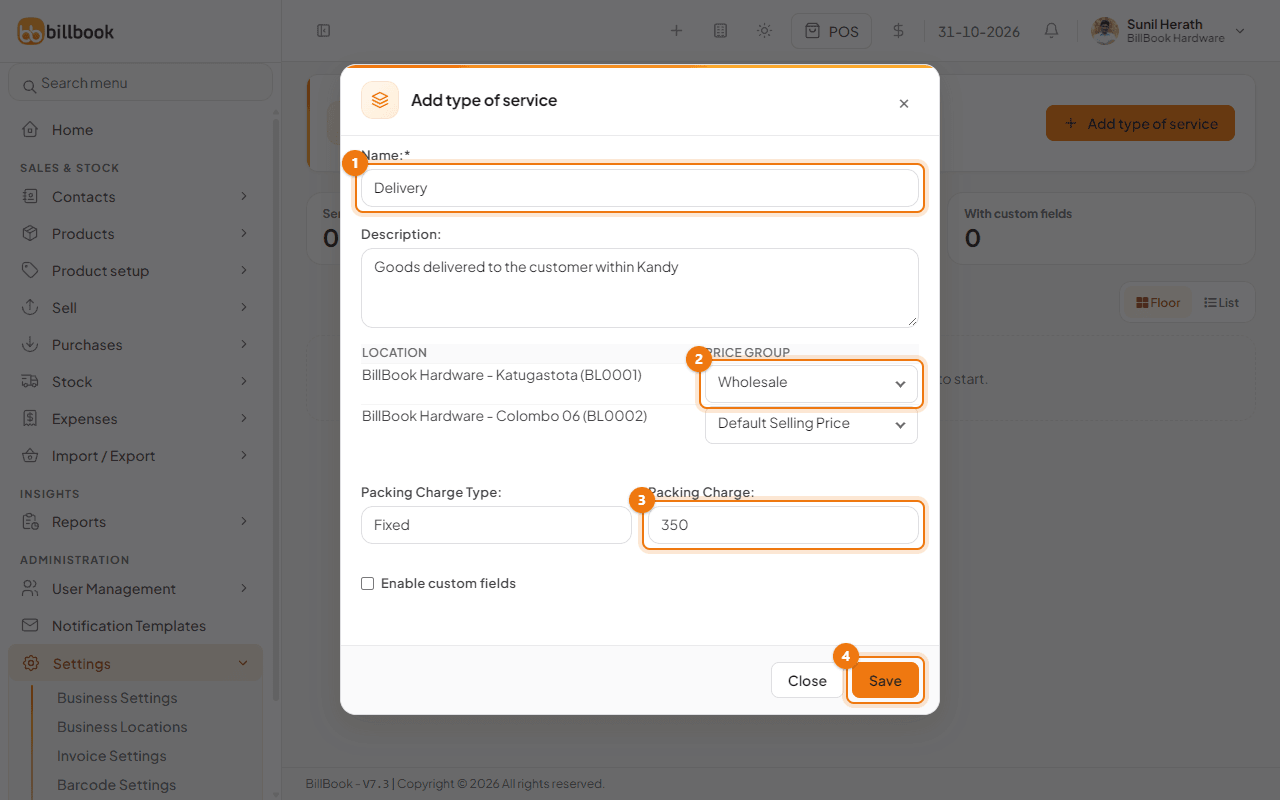
- Enter the Name (1), for example Delivery.
- Add a Description if it helps your staff.
- Set the packing charge and price group as described next.
- Select Save (4).
The new type shows as a card on the Types of service page with its packing charge. Select Edit (2) on a card to change it later.
Packing charge#
- Under Packing Charge Type, choose Fixed for a set amount, or Percentage to charge a share of the sale.
- Enter the Packing Charge (3). We used 350 with Fixed, so every delivery adds Rs. 350.00.
Price group per type#
The form lists each business location with a Price Group list beside it (2). Choose the price group that location should use for this type, or leave Default Selling Price. We chose Wholesale for BillBook Hardware - Katugastota, so a delivery there is priced from the wholesale list.
Tip: Tick Enable custom fields if you want to keep extra details on each sale of this type, such as a driver's name. You name the fields under Settings > Business Settings > Custom Labels.
Choose it in POS#
- Go to Sell > Sales counter and open Sale options.
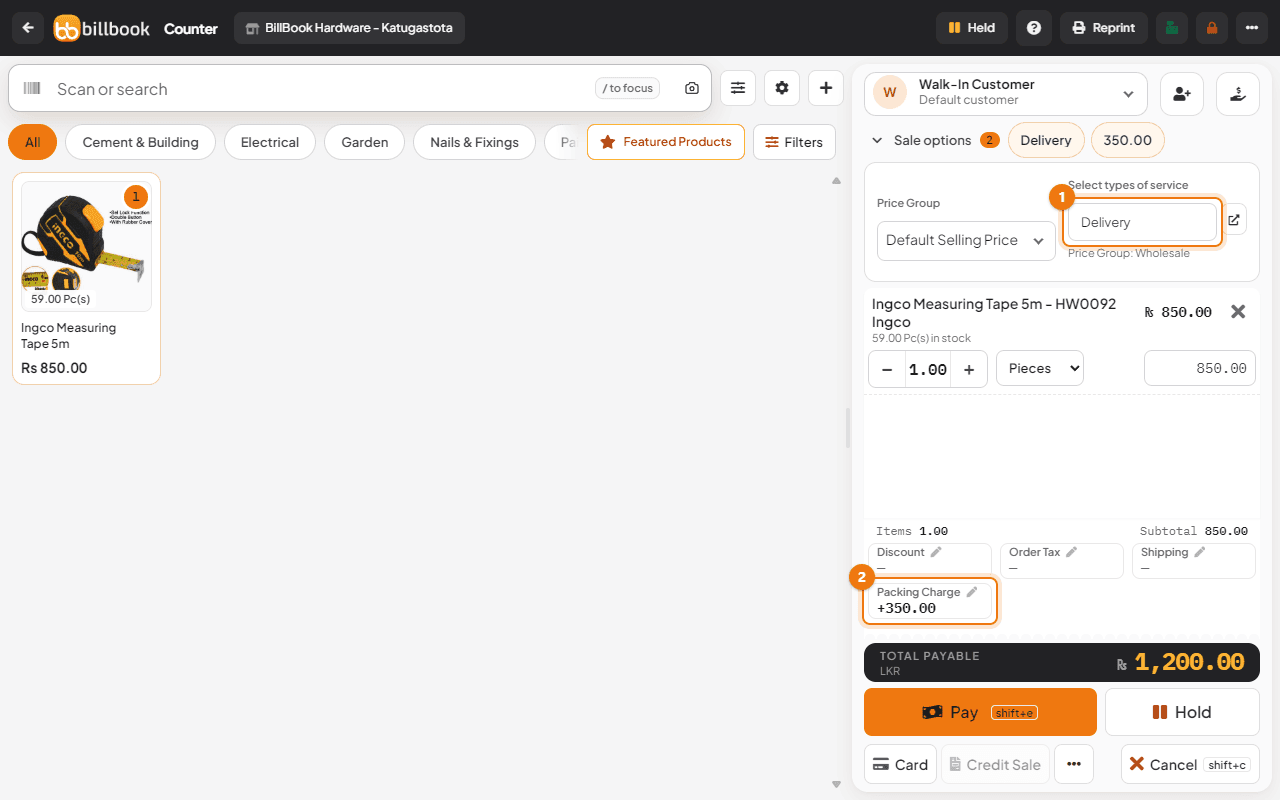
- Under Select types of service (1), choose Delivery. A small Delivery window opens with the Packing Charge for this sale. Change it if you need to, then select Close. The line under the field shows the price group, for example Price Group: Wholesale.
- Add your items. The Packing Charge (2) line in the totals shows +350.00 and Total Payable includes it. For one Ingco Measuring Tape 5m at Rs. 850.00 the total is Rs. 1,200.00.
Note: Changing the type of service to one with a different price group asks first: "Changing the type of service changes prices. The cart will be cleared." Select Cancel to keep the cart and the previous type. Clearing a type that has no price group keeps the cart. Choose the type first, then add the items. You can change the packing charge for one sale with the pencil next to Packing Charge.