
Ledger discounts
Last updated: 6 November 2026 · 3 min read
Sometimes you agree to take less than the full amount, for example a goodwill reduction for a regular building contractor who pays his old balance in one go. A ledger discount lowers the balance due on the contact without touching any invoice or payment.
Before you start: The contact should have a balance due. The discount is a reduction of the account, not a payment, so no money is received and no payment method is recorded.
When to use a ledger discount#
- You agree to waive a small leftover amount so the account can be closed.
- You give a customer an early-payment or loyalty discount on what they already owe.
- You settle with a supplier for less than the amount on the books.
If the discount belongs to one sale only, change that sale instead. A ledger discount applies to the whole account.
Add a discount on balance due#
- Go to Contacts > Customers (or Suppliers), open the contact with View and stay on the Ledger tab.
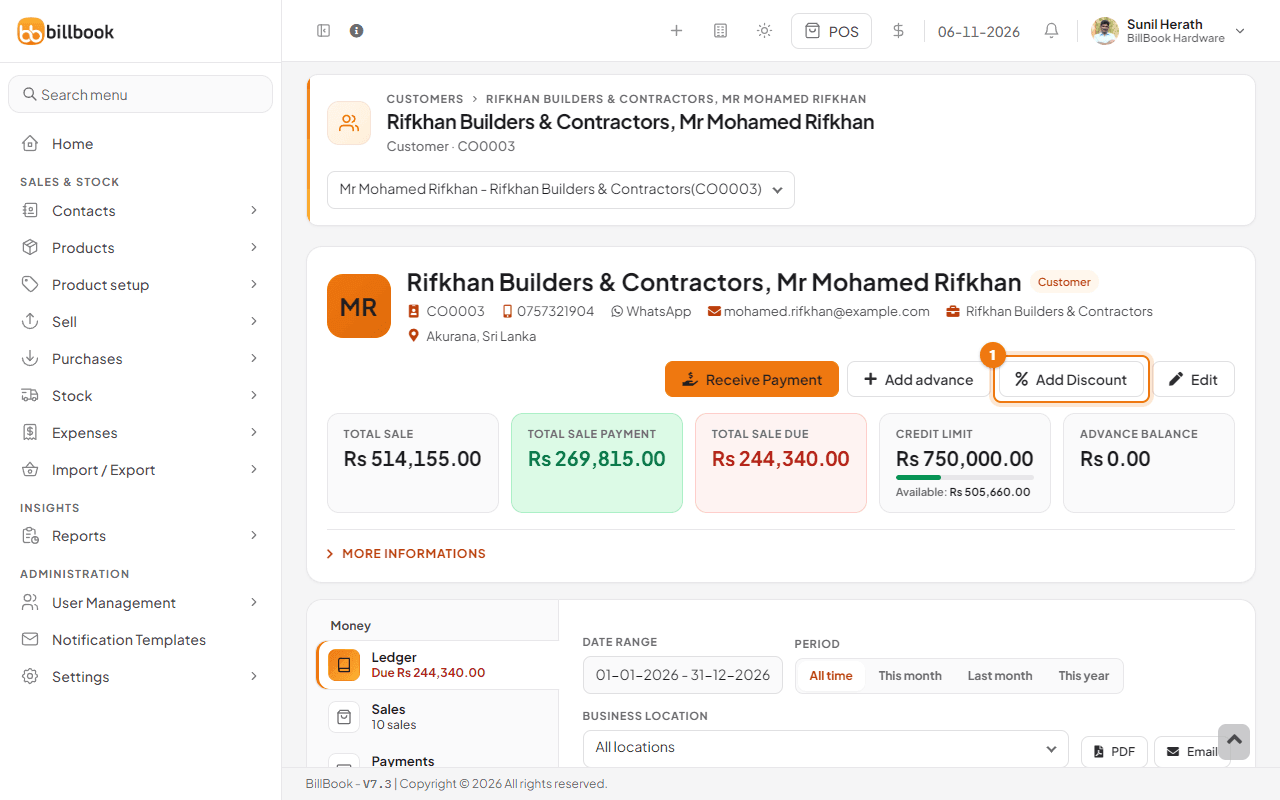
- Select Add Discount (1) in the row of buttons at the top of the contact page, next to Receive Payment.
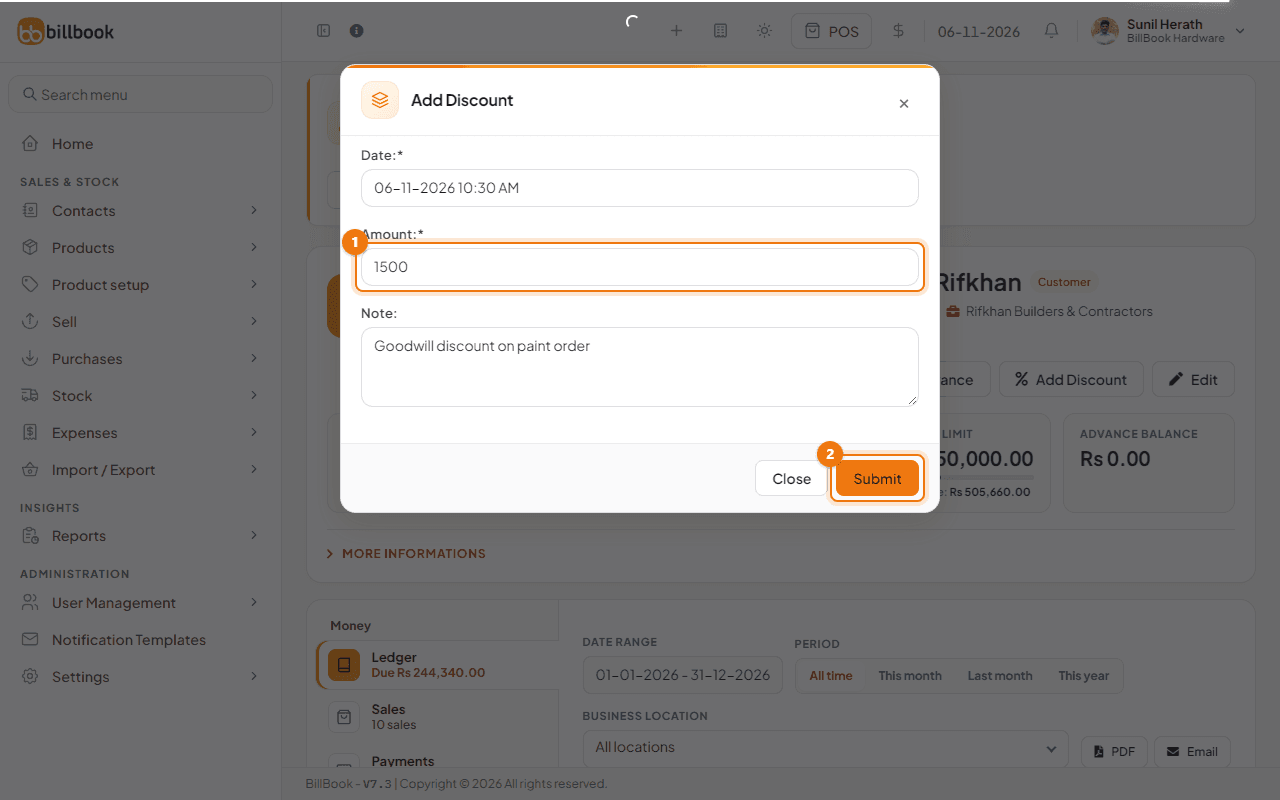
- Check the Date. It starts as today's date and time. Change it if the discount belongs to another day.
- Enter the Amount (1), for example 1500 for Rs. 1,500.00.
- Write a Note, for example Goodwill discount on paint order, so you remember why.
- Select Submit (2). BillBook shows Success and the pop-up closes.
Note: If the contact is both a customer and a supplier, the pop-up also asks Discount for. Choose Sale or Purchase, so the discount lands on the right side of the account.
Edit or delete a discount#
Admins can change or remove a discount from its row on the contact's Ledger tab.
- On the Ledger tab, find the Ledger discount row.
- Select Edit to change the Amount, Date or Note, then save. Or select Delete to remove the discount.
The Balance Due updates to match. If you are not an admin, you do not see these buttons, so check the Amount and Date before you select Submit.
Effect on the balance#
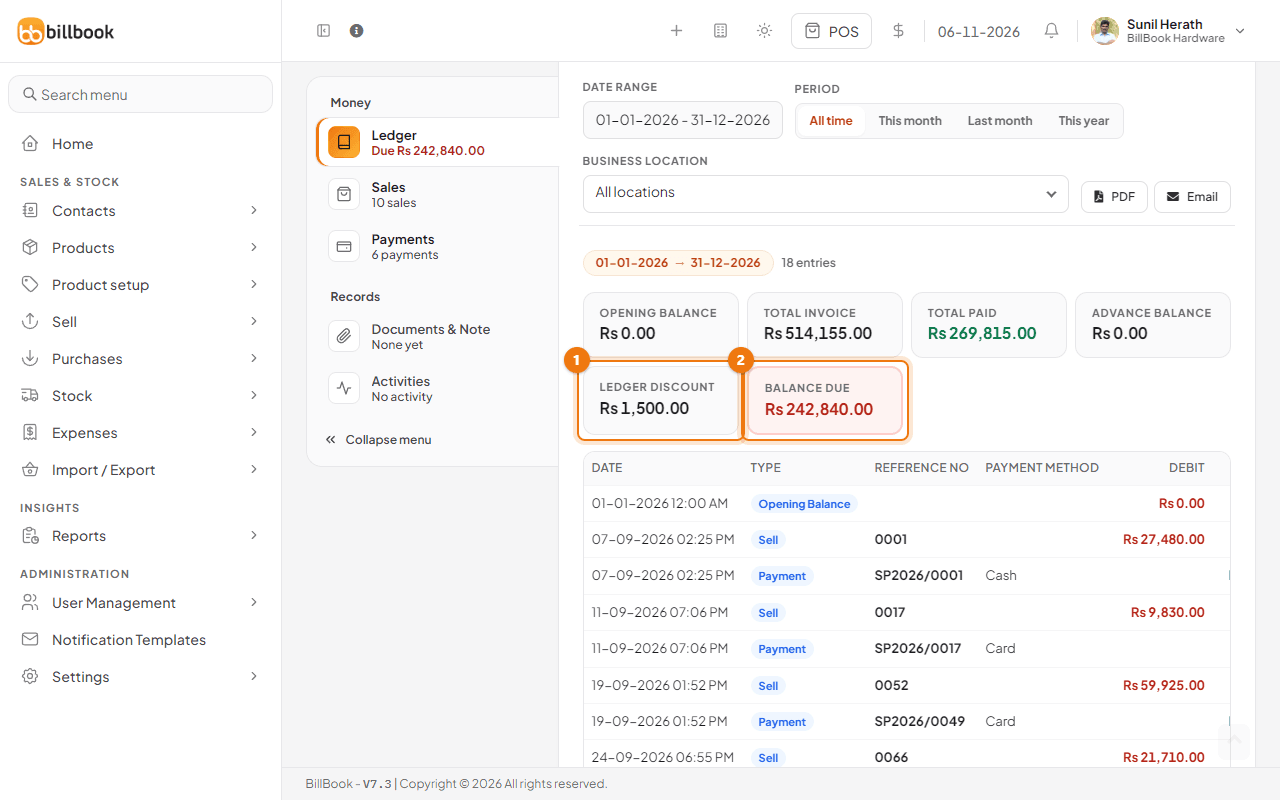
After you submit, the ledger shows a new Ledger discount card (1) with the amount, and the Balance Due (2) goes down by the same amount. In our example, Mr Mohamed Rifkhan owed Rs. 244,340.00. After the Rs. 1,500.00 discount, Balance Due is Rs. 242,840.00.
The table adds a Ledger discount line with your note, dated when you added it, and its Balance column shows the new running balance. The discount is also included in the ledger PDF.
The cards at the top of the contact page follow the discount too: Total Sale Due drops to Rs. 242,840.00 and the Available amount under Credit Limit goes up by the same Rs. 1,500.00. Total Sale and Total Sale Payment do not change, because no invoice or payment was touched.