
Featured products on POS
Last updated: 7 November 2026 · 2 min read
Featured products are a short list of the things you sell all day, such as measuring tape, thread seal tape or binding wire. They sit in a box above the product grid on the POS screen, opened from a Featured Products button beside the category chips,, so the cashier does not have to search for them.
Before you start: You need permission to open Settings. The list belongs to one business location, so repeat the steps for each shop that needs its own list.
Add featured products per location#
- Go to Settings > Business Locations.
- On the row of the location, select Edit.
- Scroll down to POS screen Featured Products (1).
- Select the field and type part of a product name or its SKU. Select the product in the list that appears. Repeat for each product. In our example we added Binding Wire, Thread Seal Tape 12mm, Ingco Impact Drill 710W, Ingco Measuring Tape 5m and Ingco Spirit Level 60cm.
- Select Save (2). BillBook shows Business location updated successfully.
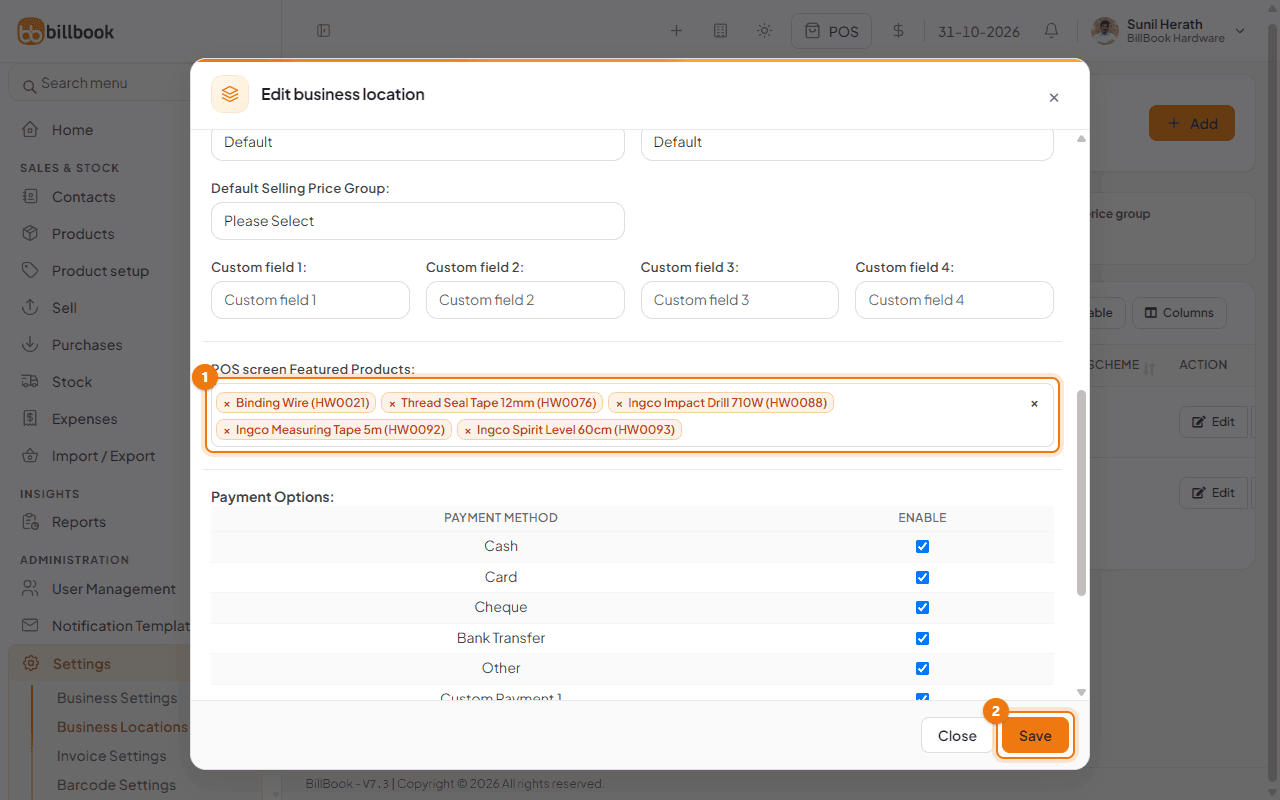
To remove a product from the list, select the small x beside its name and save again.
Note: A location can only be saved when its required fields are filled in. If BillBook says Invalid inputs, Check & try again!!, check that Zip Code and Invoice scheme for sale are filled in on the same form.
See them on the POS screen#
- Go to Sell > Sales counter, or select the POS button in the header.
- Select Featured Products (1) beside the category chips, above the product grid.
- The featured box (2) opens with the products of the location you are selling from. Select a product to add it to the sale. Select Featured Products again to hide the box.
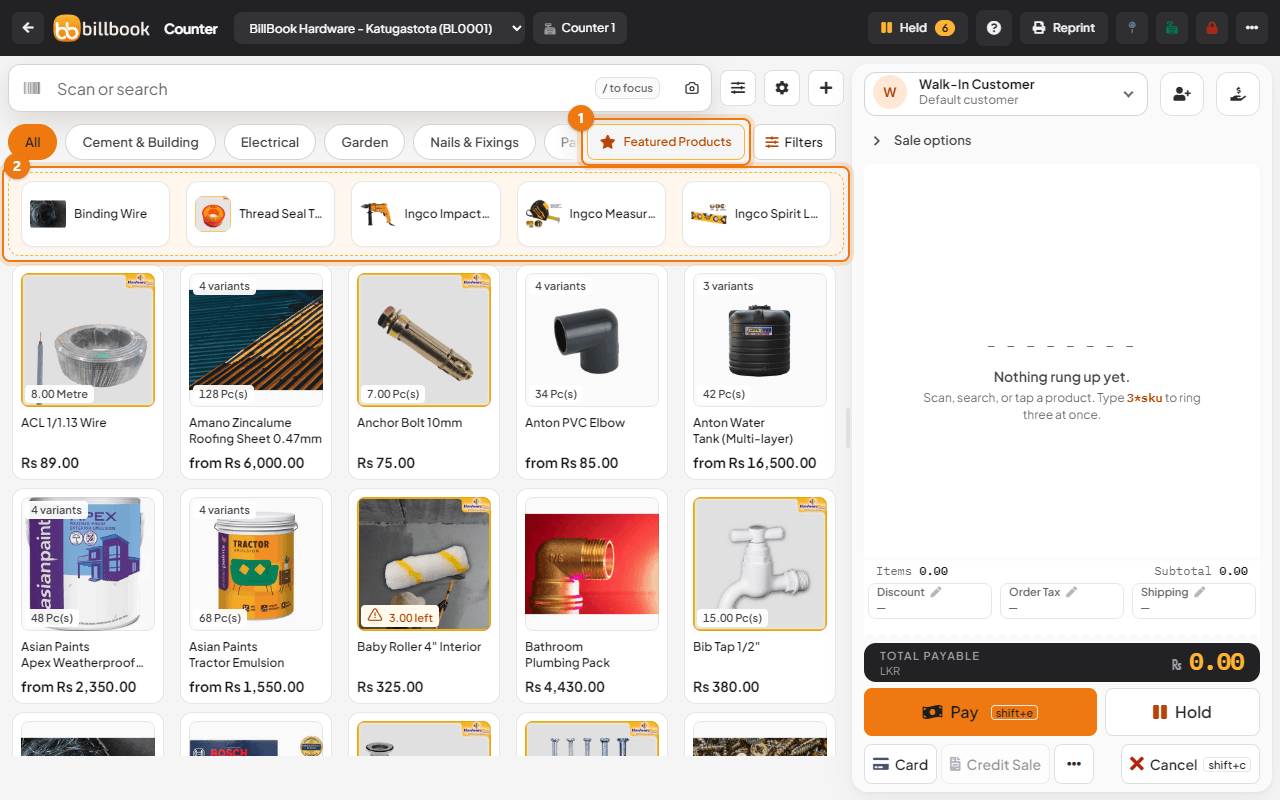
The box follows the location chosen at the top of the POS screen. If you change to a location that has no featured products, the Featured Products button is hidden.