
Opening balances for contacts
Last updated: 6 November 2026 · 3 min read
An opening balance carries a contact's old account into BillBook. Use it when you move from a notebook or another program, so every customer and supplier starts with the right amount.
Before you start: Have the amounts from your old records ready, as they stood on the day you start using BillBook.
What an opening balance is#
- A customer's opening balance is the amount the customer still has to pay you.
- A supplier's opening balance is the amount you still have to pay the supplier.
For example, if Mr Chaminda Abeysekara owed you Rs. 45,000.00 in your old books, enter that as his opening balance. It is not a sale: it does not change your stock or your sales totals.
Add an opening balance#
- Go to Contacts > Customers (or Suppliers) and select Add. To change an existing contact, select Edit on their row instead.
- Enter the contact's details.
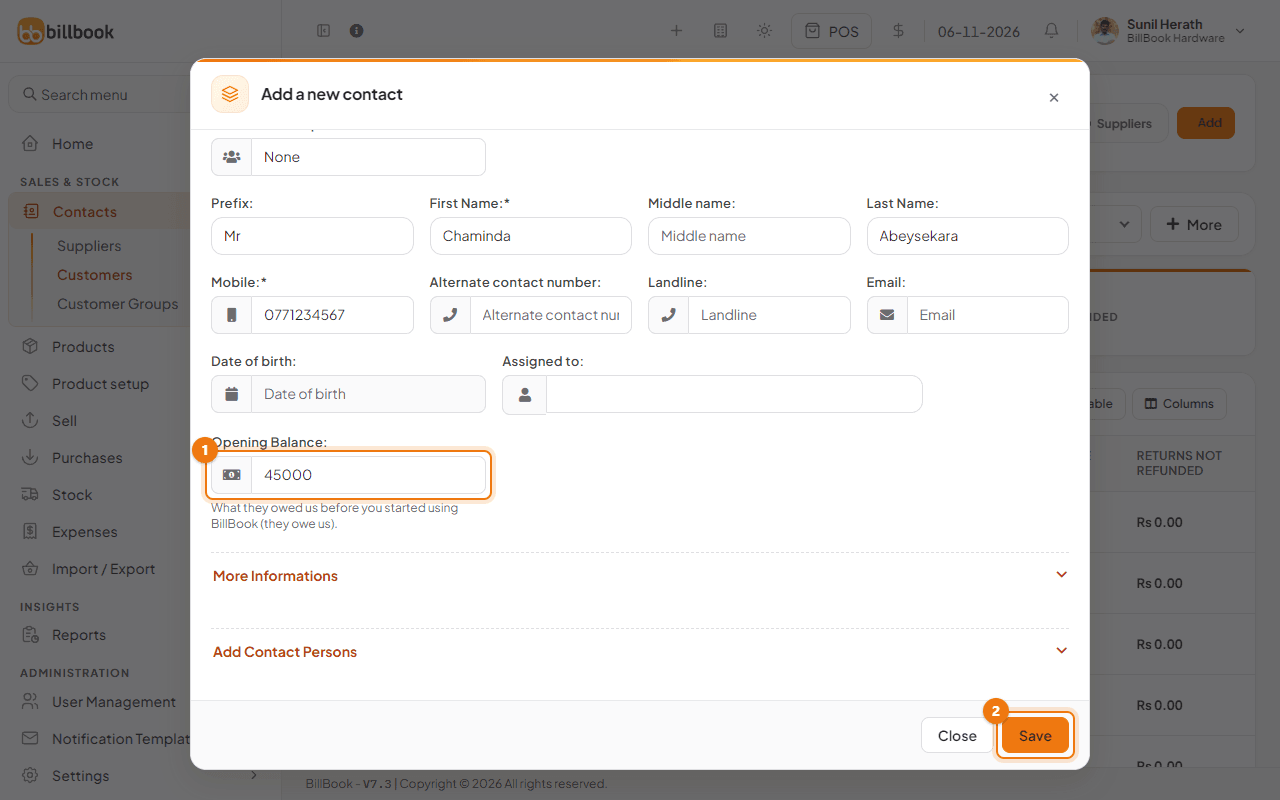
- Enter the amount in Opening Balance (1), for example 45000. It is on the main form, under Assigned to, and says what they owed you before you started using BillBook.
- Select Save (2).
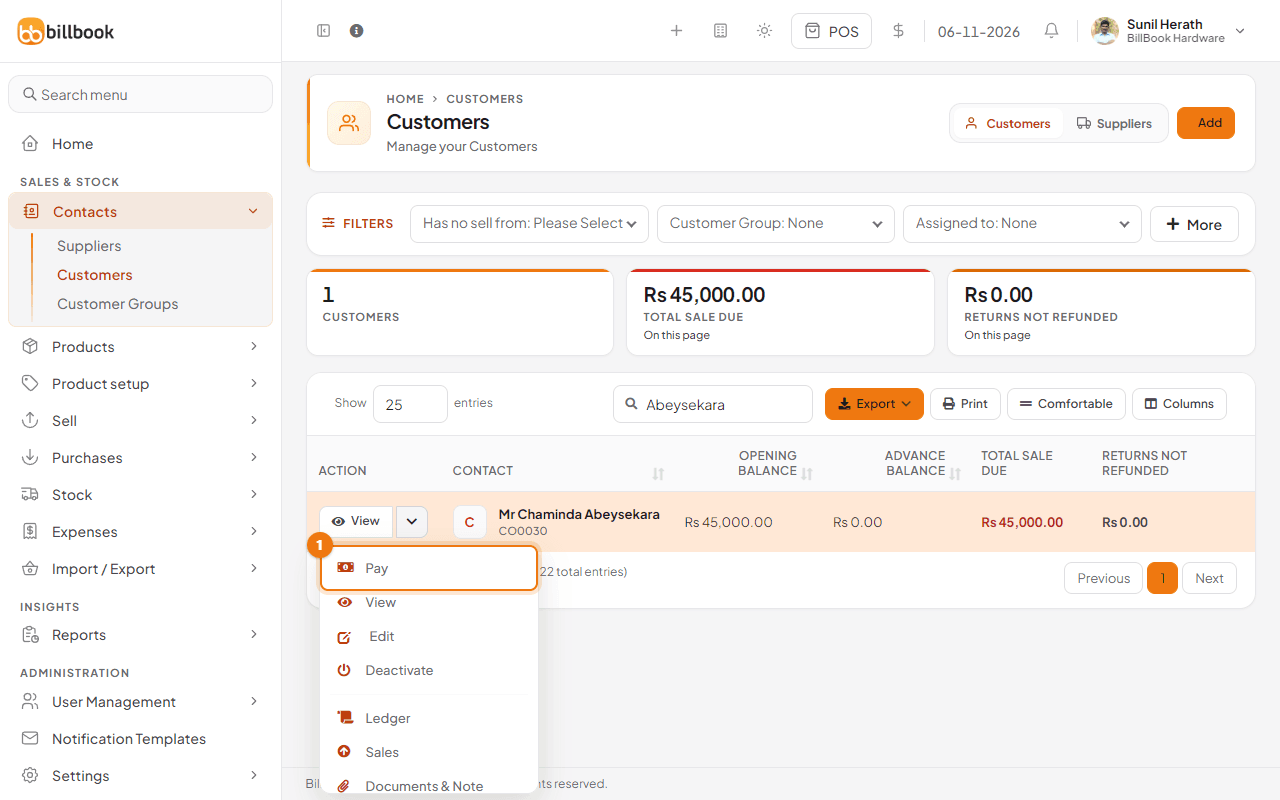
Note: The customer list has an Opening Balance column, and its Total sale due column and card include what is still owed from the opening balance. A contact with only an opening balance shows Rs. 45,000.00 in both.
View opening balance and payments#
- On the list, select View on the contact's row.
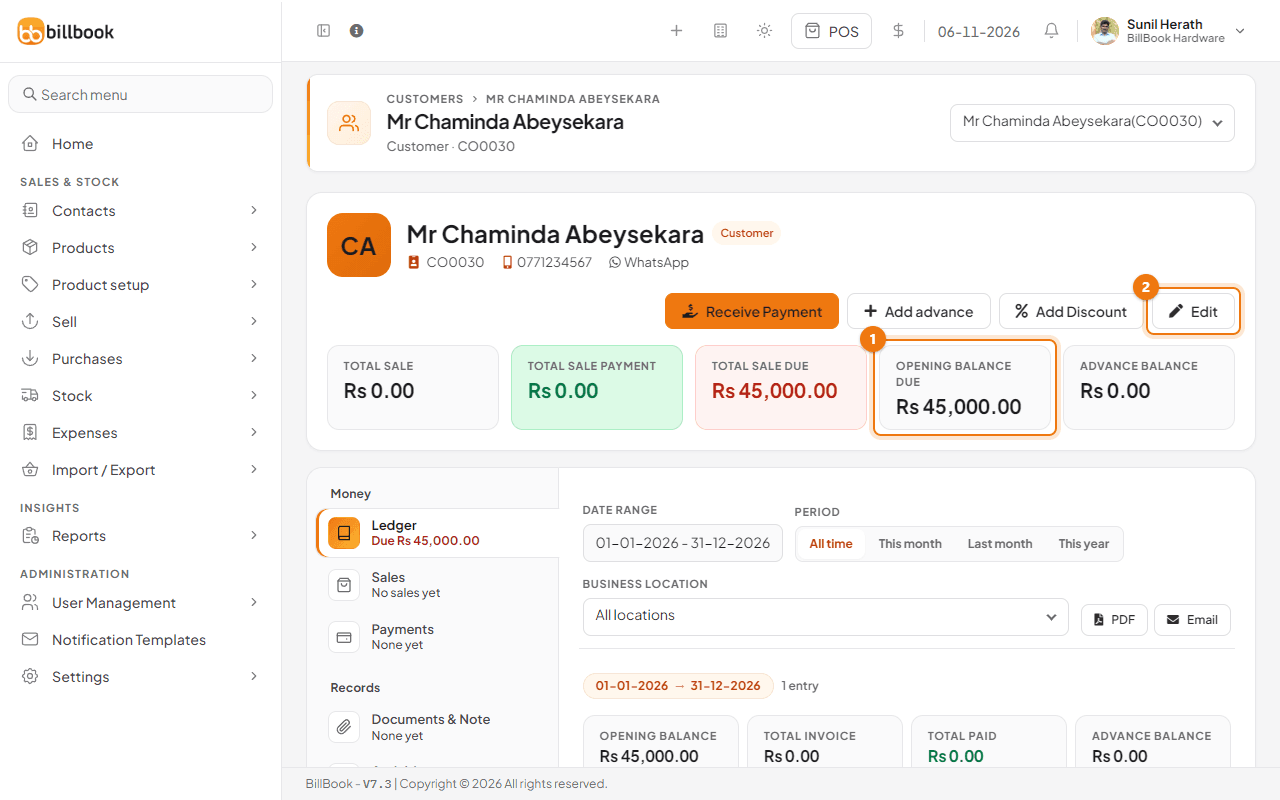
- The cards at the top show Total Sale Due and Opening Balance Due (1), which is the part of the opening balance not yet paid. The Ledger below lists the Opening Balance as its first line.
- Select Edit (2) if you need to correct the amount.
Receive or pay an opening balance#
- On the contact's row in the list, open the arrow next to View and select Pay (1).
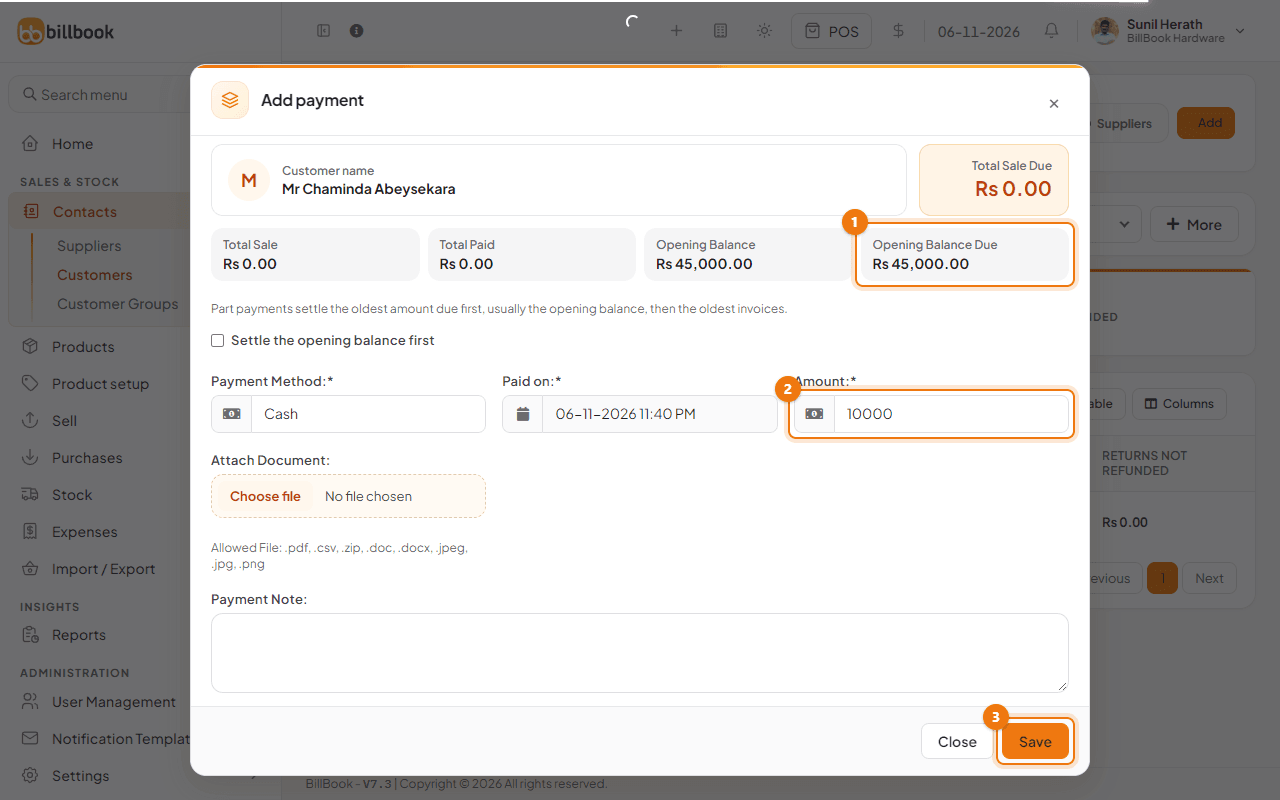
- The Add payment window shows Opening Balance and Opening Balance Due (1) for the contact. Below the boxes, Settle the opening balance first makes sure a part payment clears the opening balance before any invoice. Choose the Payment Method.
- Enter the Amount (2). It starts at the full amount due. Enter a smaller figure, for example 10000, for a part payment.
- Select Save (3). BillBook shows Payment added successfully.
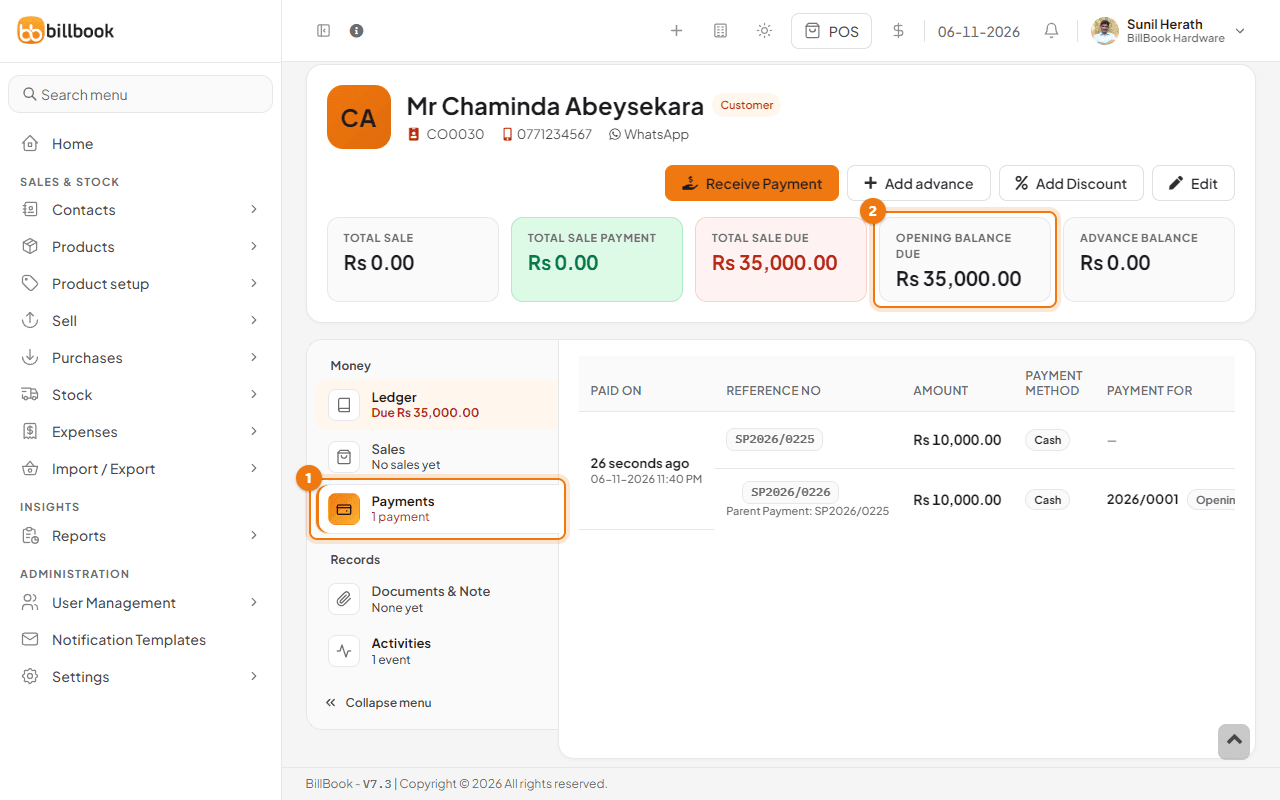
The opening balance due drops from Rs. 45,000.00 to Rs. 35,000.00. Select the Payments tab (1) on the contact page to see the payment listed against Opening Balance.
Tip: Suppliers work the same way. Choose Pay on the supplier's row to record what you paid towards the opening balance.